
Word games & fun
Word Search Maker — Printable Themed Word Searches
Make a printable word search in seconds: pick one of 48 themes (Christmas, Halloween, animals, space…) at easy, medium, or hard level, use random dictionary words, or type your own — with large print and an answer key.
Updated · Free, no sign-up
Longer words, + diagonals
Animals Word Search
Find these 15 words
Share this tool
Know someone who’d love it?
What is a word search maker?
A word search maker turns a list of words into a printable word search puzzle. Pick one of 48 ready-made themes — from Christmas and Halloween to dinosaurs and space — or type your own words, and the tool hides them in a grid of random letters and adds an answer key. It’s made for teachers, parents, parties, and anyone who loves puzzles, and every puzzle is free to print.
How to make a word search
- Choose a word list: a theme, random words from the dictionary, or My own words.
- Pick a difficulty — it chooses the words (for themes) and the directions they run.
- Edit the title or the words if you like, and choose a grid size (Auto fits the words).
- Tap New puzzle for a different layout, then Print / PDF.
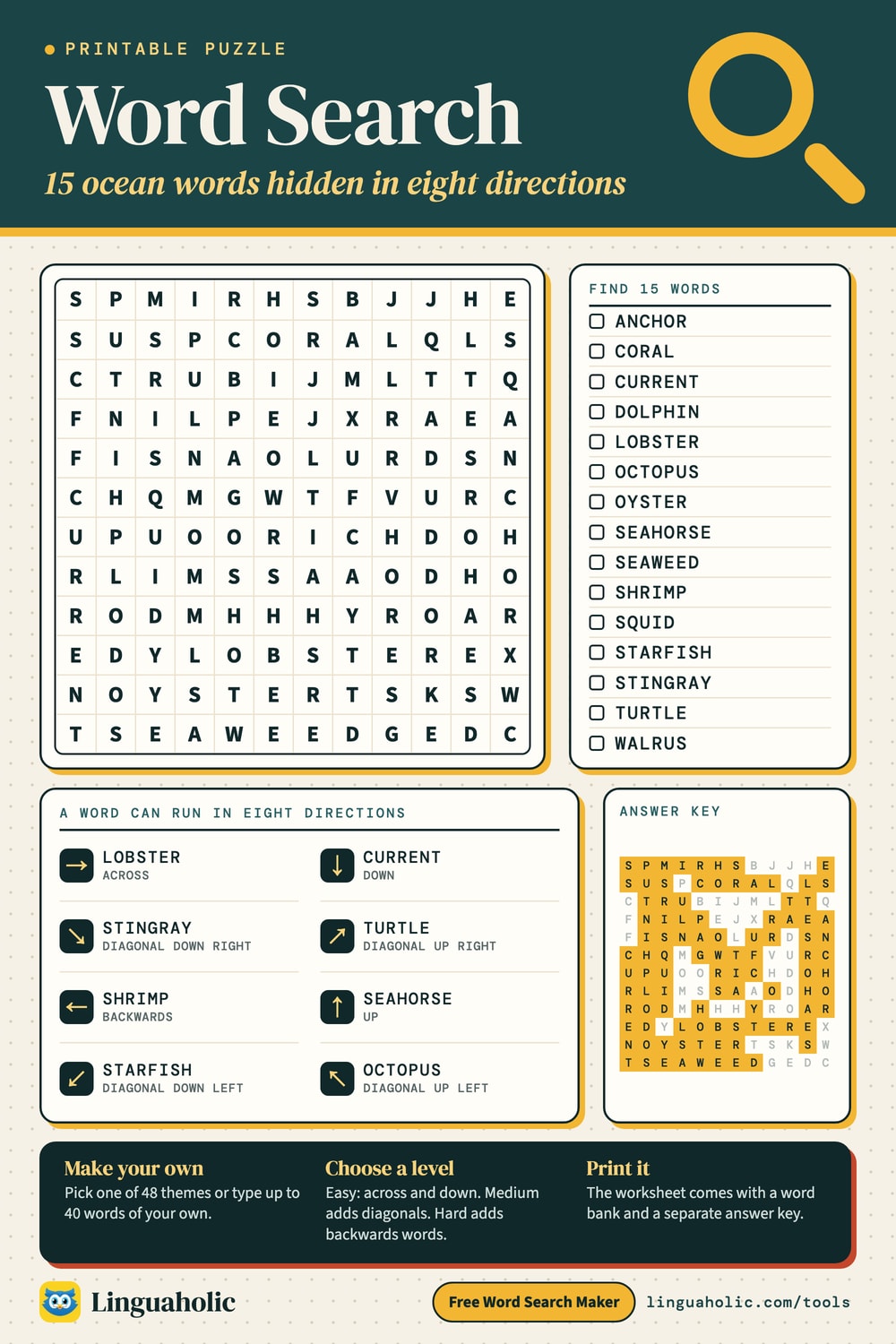
Ocean word search to solve

Printable word searches by theme
There are 48 themes with 2,160 hand-picked, classroom-friendly words, and each theme has an easy, medium, and hard list. Tap a theme to load it into the maker above:
Holidays & seasons
- 🎄 Christmas word search
- 🎃 Halloween word search
- 🦃 Thanksgiving word search
- 🐣 Easter word search
- ❤️ Valentine's Day word search
- ☘️ St. Patrick's Day word search
- 🎆 New Year word search
- 🎇 Fourth of July word search
- 🎒 Back to school word search
- ☀️ Summer word search
- ❄️ Winter word search
- 🌷 Spring word search
- 🍂 Fall (autumn) word search
- 🎂 Birthday party word search
Animals & nature
School & learning
Everyday life
Fun & adventure
Christmas word search
A Christmas word search is a favorite for classroom parties, advent calendars, and quiet moments during the holidays. The easy list suits preschool and kindergarten, the medium list is great for grades 2–4, and the hard list — with words like poinsettia and mistletoe — challenges older kids and adults.
| Level | Christmas words |
|---|---|
| easy | Santa, Elf, Tree, Star, Gift, Snow, Bell, Sled, Toys, Bow, Sock, Cookie |
| medium | Reindeer, Presents, Stocking, Candle, Wreath, Sleigh, Carols, Mittens, Ribbon, Tinsel, Holly, Chimney, Snowman, Eggnog, Ornament |
| hard | Decorations, Gingerbread, Mistletoe, Poinsettia, Nutcracker, Snowflake, Fireplace, Celebration, Evergreen, Workshop, Tradition, Festive, Garland, Wrapping, Chestnuts, Christmas, Icicles, Merriment |
Halloween word search
Spooky but not scary: the Halloween word search lists stick to pumpkins, costumes, bats, and friendly ghosts, so they work for every age. Print a stack for a class party or a trick-or-treat night.
| Level | Halloween words |
|---|---|
| easy | Bat, Cat, Owl, Witch, Ghost, Moon, Mask, Candy, Hat, Web, Boo, Treat |
| medium | Pumpkin, Costume, Spider, Broom, Skeleton, Monster, Cauldron, Spooky, Lantern, Vampire, Zombie, Scary, Mummy, Haunted, Goblin |
| hard | Scarecrow, Graveyard, Tombstone, Werewolf, Cobwebs, Phantom, Potion, Masquerade, Creepy, Sorcery, Broomstick, Midnight, Apparition, Ghoulish, Moonlight, Spiderweb, October, Candlelight |
Thanksgiving word search
Keep everyone busy while the turkey roasts. The Thanksgiving word search covers the feast, the harvest, and gratitude — print one for the kids’ table or a November lesson.
| Level | Thanksgiving words |
|---|---|
| easy | Pie, Corn, Yam, Feast, Fall, Nuts, Rolls, Bake, Gravy, Turkey, Family, Leaves |
| medium | Pumpkin, Harvest, Potatoes, Stuffing, Thanks, Grateful, Autumn, Squash, Pecan, Platter, Dinner, Gobble, Parade, Acorns, Cider |
| hard | Cranberry, Cornucopia, Thanksgiving, Gratitude, Casserole, Tablecloth, Gathering, November, Leftovers, Wishbone, Drumstick, Centerpiece, Marshmallow, Tradition, Cinnamon, Nutmeg, Roasting, Appetite |
More holiday word searches
There are also ready-made puzzles for Easter, Valentine's Day, St. Patrick's Day, New Year, Fourth of July, Back to school, and Birthday party. Each one has three levels, so the same theme works for a whole family.
Spring, summer, fall, and winter word searches
Seasonal word searches are a simple way to bring the calendar into the classroom:
| Season | Sample words (medium) |
|---|---|
| 🌷 Spring | Flowers, Blossom, Rainbow, Puddle, Umbrella, Sprout, Garden, Daisy, Robin, April |
| ☀️ Summer | Sunshine, Vacation, Sandals, Seashell, Towel, Surfing, Picnic, Lemonade, Splash, Camping |
| 🍂 Fall (autumn) | Autumn, Pumpkin, Harvest, Leaves, Squirrel, Sweater, October, Orchard, Scarf, Bonfire |
| ❄️ Winter | Snowman, Mittens, Blizzard, Freezing, Icicle, Sweater, Skating, Shovel, Snowball, Flurry |
Easy and hard word searches
The difficulty setting changes two things. For themes it picks the word list: easy uses 12 short words, medium 15 longer ones, and hard 18 long words. It also sets the directions: easy puzzles hide words only across and down (perfect for young children), medium adds diagonals, and a hard word search also runs words backwards — much trickier for older kids and adults. Turn on Show answers any time to reveal where every word is hidden.
Large print word searches
Tick Large print before printing and the letters and word list come out bigger — easier on the eyes for seniors, early readers, and anyone with low vision. For the most comfortable puzzle, pair large print with the easy level and a 10 × 10 or 12 × 12 grid.
Random word searches from the dictionary
Choose Random words from the dictionary for a brand-new puzzle every time. Words come from our family-friendly list of about 39,000 everyday English words (no plurals, no rude words), and the difficulty sets how common and how long they are. Tap New words for another set.
Print or save as a PDF
The Print / PDF button opens a clean, ad-free worksheet: the puzzle with a name and date line and a word bank to tick off, and the answer key on a second page. From the print dialog you can print it or choose “Save as PDF”. Big grids shrink to fit the page automatically.
Word searches for teachers and parents
Word searches build spelling, vocabulary, and pattern recognition. Paste this week’s spelling list or vocabulary words to make a custom worksheet in seconds, or use a theme to go with a lesson on the body, weather, the solar system, or community helpers. For more classroom tools, try the Syllable Counter, the Random Word Generator, and the Rhyming Words finder — or play Hangman with the same themes.
Free and private
The word search maker runs entirely in your browser — free, with no sign-up, and nothing you type is uploaded or stored.
For teachers, bloggers & clubs
Put the Word Search Maker on your website
Give your readers this tool right on your page. Copy the code, paste it into your site, done: no sign-up, no account.
- Free for any website
- No ads, no cookies
- Fits phones and sidebars
- Always up to date
Please keep the small credit line under the tool; you may add rel="nofollow" to its link. How it works & the rules

› Show the code
Frequently asked questions
- How do I make my own word search?
- Choose 'My own words' (or just edit any list), type your words one per line, pick a difficulty and grid size, and the puzzle is built instantly. Tap Print / PDF to get a clean printable puzzle plus an answer key.
- What themes are there?
- There are 48 ready-made themes with more than 2,000 hand-picked words — holidays like Christmas, Halloween, Thanksgiving, Easter, and Valentine's Day, the four seasons, animals, dinosaurs, space, the body, food, sports, jobs, pirates, fairy tales, and more. Each theme has an easy, medium, and hard word list.
- What do the difficulty levels do?
- For themes, the level picks the words: easy has 12 short words, medium 15 longer ones, hard 18 long words. It also sets the directions: easy places words across and down only, medium adds diagonals, and hard also allows backwards words.
- Can I print a large print word search?
- Yes. Tick 'Large print' before you print and the letters and word list come out bigger — ideal for seniors, young readers, and anyone with low vision. A 10 × 10 or 12 × 12 grid gives the biggest letters.
- Can it make a random word search?
- Yes. Choose 'Random words from the dictionary' and the maker picks words from a family-friendly list of about 39,000 everyday English words; the difficulty controls how common and how long they are. Tap New words for a fresh set.
- Is there a limit on the number of words?
- You can add up to 40 words, each 2 to 20 letters. If a word does not fit the grid you chose, the tool tells you so you can pick a larger grid or shorter words.
- Can I print it or save a PDF?
- Yes. The Print / PDF button opens a clean, ad-free worksheet with the puzzle, a name and date line, a word bank, and a separate answer-key page. From the print dialog you can print it or choose 'Save as PDF'.
- Is my word list uploaded anywhere?
- No. The whole puzzle is generated in your browser — nothing you type is uploaded or stored.
About this page
The Word Search Maker is a free tool from Linguaholic, made by Marcel Iseli. It runs in your browser, with no sign-up. Last updated .
Word data: Linguaholic’s English dictionary, built from the open ENABLE and SCOWL word lists, the CMU Pronouncing Dictionary (pronunciation and syllables) and Princeton WordNet (meanings). Licenses and notices.
Keep exploring
More free tools
 Imposter Game Word GeneratorRandom secret words for the Imposter game, each with a hint for the imposter.
 HangmanThe classic word-guessing game, with 48 categories and a 2-player mode.
 Categories GameA random letter, a list of categories, and a timer — on one screen or every phone.
 Binary GameFlip bit cards to hit the number, race the 60-second clock, five levels from 4 to 8 bits.
 Never Have I EverMore than 1,000 clean statements in 13 categories, for any group.
 Truth or DareMore than 1,000 original truths and dares for friends, families, and sleepovers.