
Fancy text generators
Redacted Text Generator
Black out your text with solid censor blocks (█████) for a redacted, classified, or censored look you can copy and paste anywhere.
Updated · Free, no sign-up
Share this tool
Know someone who’d love it?
What is a redacted text generator?
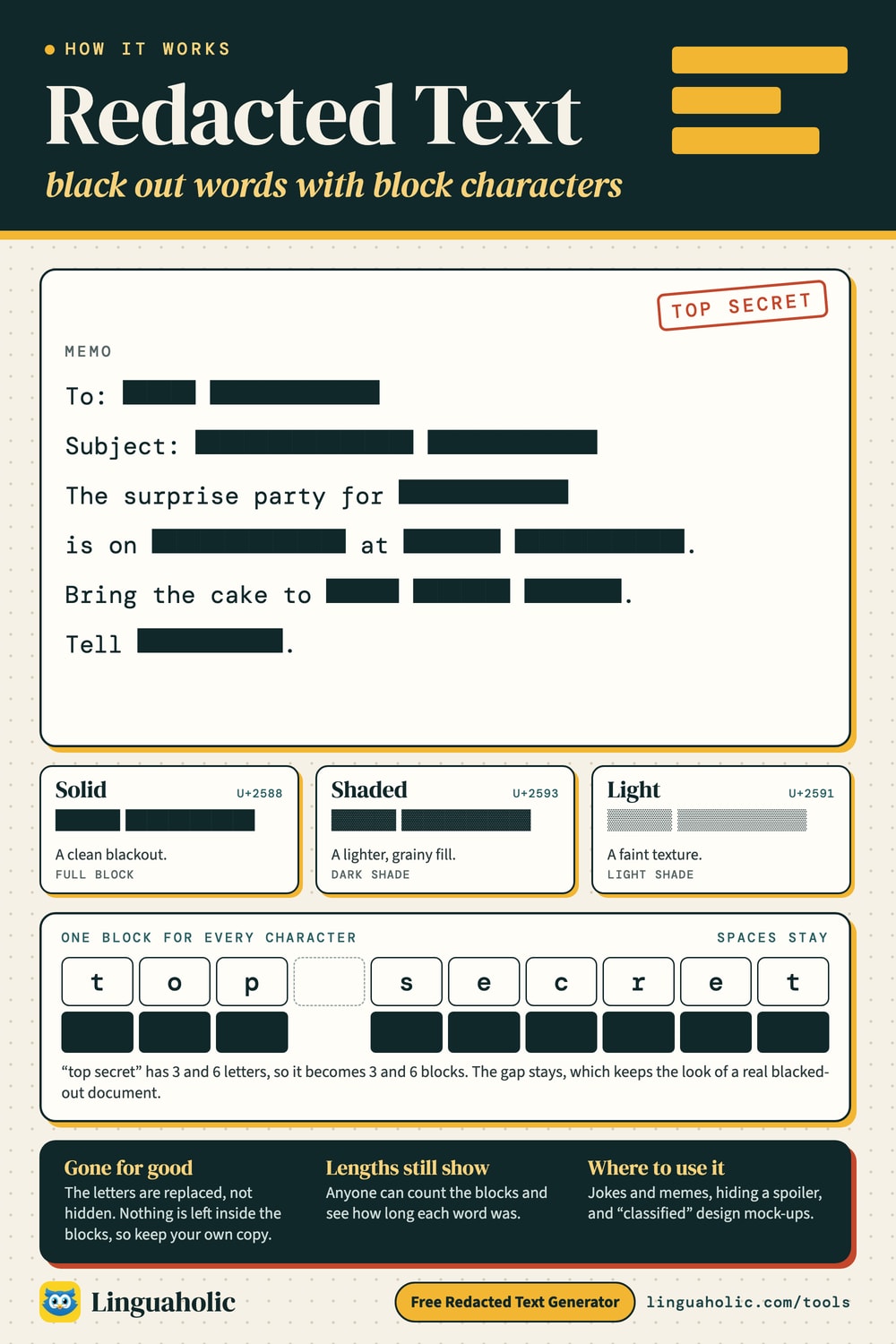
A redacted text generator blacks out your words with solid blocks (█████), giving them the classic censored, classified, or “top secret” look. It keeps the spaces between words, so the shape of the redaction still reads like a real document.
How to use it
- Type your text in the box.
- Pick a solid, shaded, or light block style.
- Tap Copy and paste the redacted text anywhere.
How redacted text works

Block styles
The solid style uses a full block (█) for a clean blackout, shaded uses a lighter fill (▓), and light uses a faint texture (░). All keep word spacing so it looks like genuinely redacted text rather than one long bar.
A note on privacy
This tool replaces your characters with block characters — the original letters are not hidden inside the copied result, so it is safe to share. For the same reason, keep your own copy of anything you still need, because the redaction cannot be reversed back into your text.
Where to use redacted text
Memes and jokes, “censored” social posts, spoiler-hiding, and design mock-ups. It is real Unicode, so it pastes into most apps. To hide text that can be revealed instead, use a spoiler in the Discord Text Formatter, or explore more looks on the Fancy Text Generator.
Free and private
The redacted text generator runs entirely in your browser — free, no sign-up, and nothing you type is uploaded or stored.
For teachers, bloggers & clubs
Put the Redacted Text Generator on your website
Give your readers this tool right on your page. Copy the code, paste it into your site, done: no sign-up, no account.
- Free for any website
- No ads, no cookies
- Fits phones and sidebars
- Always up to date
Please keep the small credit line under the tool; you may add rel="nofollow" to its link. How it works & the rules

› Show the code
Frequently asked questions
- How does the redacted text generator work?
- It replaces each visible character in your text with a solid block character (█), keeping the spaces, so the result looks like a redacted or censored document. Choose solid, shaded, or light blocks.
- Is the original text still hidden inside?
- The blocks replace your characters entirely, so the copied result contains only block characters — the original letters are not stored inside. Keep your own copy of anything you still need.
- Where can I use redacted text?
- Memes, posts, and messages where you want a 'classified' or censored look, and design mock-ups. It is real Unicode, so it pastes into most apps.
- Is it free and private?
- Yes — everything runs in your browser with no sign-up, and your text is never uploaded.
About this page
The Redacted Text Generator is a free tool from Linguaholic, made by Marcel Iseli. It runs in your browser, with no sign-up. Last updated .
Keep exploring
More free tools
 Fancy Text GeneratorCopy-and-paste fonts for Instagram, TikTok, and Discord bios.
 Bold Text GeneratorCopy-and-paste bold letters for Instagram, Facebook, and Discord.
 Cursive Text GeneratorElegant cursive script letters to copy and paste, in normal and bold.
 Small Text GeneratorTiny small-caps letters to copy and paste into Instagram, TikTok, and Discord.
 Bubble Text GeneratorCircled bubble letters and squared letters to copy and paste into bios.
 Glitch Text GeneratorGlitchy, corrupted text to copy and paste into Discord and usernames.