
Fancy text generators
Instagram Fonts
Fonts for your Instagram bio, name and captions: copy styles that show on Instagram, preview them on a profile, see whether they fit the limit, style each bio line and keep your line breaks.
Updated · Free, no sign-up
Tap any style to copy it, then paste it where you like.23 characters
Where will you paste it?
Preview
your.username
Your Name
𝓒𝓸𝓯𝓯𝓮𝓮 𝓯𝓲𝓻𝓼𝓽 𝓑𝓸𝓸𝓴 𝓵𝓸𝓿𝓮𝓻
23 / 150 fits the bio limit. Line breaks count as characters too.
Style each line
Give every line of your bio its own look. Plain lines stay plain.
The preview shows the last style you copied.
For your name 8
Short, readable styles for the name above your bio.
For your bio 8
One styled line reads best. Keep contact details plain.
For captions 7
A styled first line, then plain text people can read and search.
Aesthetic & decorated 6
Soft frames and symbols for a bio line or a highlight name.
Share this tool
Know someone who’d love it?
Instagram fonts: how to change the font on Instagram
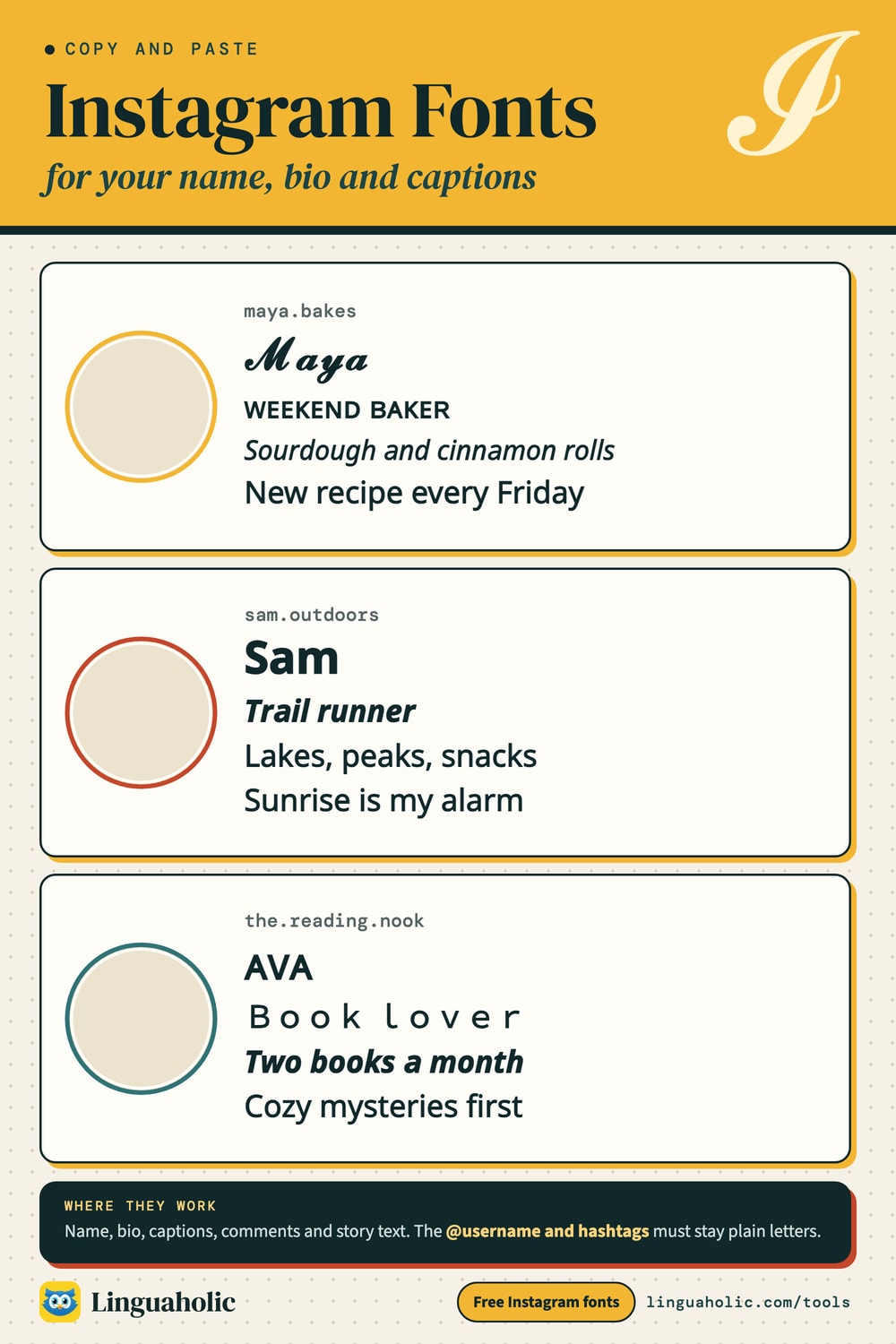
Instagram has no font setting for your profile or your posts. Every bio, name and caption is drawn in the app's own typeface. What you can change is the characters. Instagram fonts are Unicode letters that look like bold, cursive, gothic or bubble writing, such as 𝓒𝓸𝓯𝓯𝓮𝓮 𝓯𝓲𝓻𝓼𝓽. Paste them into Instagram and the app draws them as they are, so your bio looks styled for everyone who sees it.
- Type your bio, name or caption in the box above. Each line of a bio goes on its own line.
- Choose where it goes: Bio, Name or Caption. The preview and the character counter follow your choice.
- Tap a style to copy it. The preview shows the last style you copied.
- In the Instagram app, tap Edit profile, then the Name or Bio field, and paste. For a caption, paste into the caption box when you post.
Where fancy fonts work on Instagram
| Place | Fancy fonts? | Tip |
|---|---|---|
| Name (above your bio) | Yes | Short and readable. People who search for you type plain letters, so keep your username plain. |
| Bio | Yes | One styled line or a few words reads best. Leave contact details plain. |
| Captions and comments | Yes | Style the first line, write the rest in plain text. |
| Story text and Reels captions | Yes | The story editor has its own text styles too; pasted letters give looks those styles do not have. |
| Highlight names | Yes | They are very short, so pick a style that is clear at a small size. |
| @username | No | Letters, numbers, periods and underscores only. |
| Hashtags and @mentions | No | A hashtag in fancy letters is not a hashtag and does not link. |
Instagram fonts chart

Instagram character limits and fancy letters
| Field | Limit |
|---|---|
| Bio | 150 characters, spaces and line breaks included |
| Name | 30 characters |
| Username | 30 characters, plain letters only |
| Caption | 2,200 characters; about 125 show before “more” |
A fancy letter looks like one character, and it is one character, but a computer stores most of them in twice the space of a plain letter. 𝓒𝓸𝓯𝓯𝓮𝓮 𝓯𝓲𝓻𝓼𝓽 is 12 characters, stored as 23. Some apps count the stored size, so a styled bio can hit the limit sooner than you expect. The counter in the tool shows both: green when your text fits either way, yellow when it only fits if the app counts each fancy letter once.
How to keep line breaks in your Instagram bio and captions
You type a neat bio with a blank line between two parts, save it, and Instagram squeezes everything together. Two things cause it: blank lines, which Instagram tends to drop, and spaces at the end of a line, which can stop a line break from being kept.
Leave Keep my line breaks and blank lines switched on in the tool. Every style you copy then has the spaces at the ends of lines removed and one invisible character, the Braille blank (U+2800), on each empty line. Instagram keeps a line that has a character on it, and nobody sees the character. If you want a blank character to place yourself, the Invisible Character page has several to copy.
A different font for each line of your bio
Bios with one look per line are popular: a cursive first line, small caps for your interests, a plain line with your link. Choose Bio, write one item per line, and Style each line appears under the preview. Pick a style for every line (or leave a line plain) and copy the whole bio at once. Ideas:
- 𝓒𝓸𝓯𝓯𝓮𝓮 𝓯𝓲𝓻𝓼𝓽
- ʙᴏᴏᴋ ʟᴏᴠᴇʀ · ᴘʟᴀɴᴛ ᴘᴀʀᴇɴᴛ
- 𝑨𝒍𝒘𝒂𝒚𝒔 𝒍𝒆𝒂𝒓𝒏𝒊𝒏𝒈
- slow mornings
- ♡ 𝓜𝓪𝓭𝓮 𝔀𝓲𝓽𝓱 𝓵𝓸𝓿𝓮 ♡
- 𝙴𝚜𝚝. 𝟸𝟶𝟷𝟿
- ꒰ა ᵈʳᵉᵃᵐⁱⁿᵍ ᵇⁱᵍ ໒꒱
- 𝕹𝖎𝖌𝖍𝖙 𝖔𝖜𝖑
The best Instagram fonts for your name, bio and captions
The 29 styles in the tool are sorted by where they work best:
| Group | Example | Why |
|---|---|---|
| For your name (8) | 𝓢𝓾𝓷𝓷𝔂 𝓓𝓪𝔂𝓼 | Short, readable styles for the name above your bio. |
| For your bio (8) | 𝙎𝙪𝙣𝙣𝙮 𝘿𝙖𝙮𝙨 | One styled line reads best. Keep contact details plain. |
| For captions (7) | 𝗦𝘂𝗻𝗻𝘆 𝗗𝗮𝘆𝘀 | A styled first line, then plain text people can read and search. |
| Aesthetic & decorated (6) | ♡ 𝓢𝓾𝓷𝓷𝔂 𝓓𝓪𝔂𝓼 ♡ | Soft frames and symbols for a bio line or a highlight name. |
For soft, decorated looks with hearts, bows and kawaii faces, try Cute Fonts. For every style in one place, see Fonts Copy and Paste.
What font does Instagram use?
Instagram's own typeface is Instagram Sans, introduced in 2022, and the app shows text in it (or in your phone's system font) wherever it can. Fancy letters do not replace that font. When a character is not in Instagram's font, your phone draws it with another font that has it, which is how a cursive bio can appear inside an app that only has a sans-serif font. It also explains why a very old phone may show boxes: it has no font with those characters.
Fancy fonts, search and accessibility on Instagram
Styled letters are different characters from plain ones, so Instagram search does not match them: someone searching for “Coffee” will not find 𝓒𝓸𝓯𝓯𝓮𝓮 𝓯𝓲𝓻𝓼𝓽. Screen readers have trouble too. They may spell each styled letter out, call it a mathematical symbol or skip it. Keep your name easy to find, put the words that matter in plain text, and use fancy fonts as decoration.
Instagram is a trademark of Meta Platforms. Linguaholic is not affiliated with Instagram or Meta.
Is my bio uploaded anywhere?
No. Everything happens in your browser. Your text is styled on your own device and never sent to a server, and you do not need to sign up or install an app.
For teachers, bloggers & clubs
Put the Instagram Fonts on your website
Give your readers this tool right on your page. Copy the code, paste it into your site, done: no sign-up, no account.
- Free for any website
- No ads, no cookies
- Fits phones and sidebars
- Always up to date
Please keep the small credit line under the tool; you may add rel="nofollow" to its link. How it works & the rules

› Show the code
Frequently asked questions
- How do I change the font in my Instagram bio?
- Instagram has no font setting, but you can paste different characters. Type your bio here, tap a style to copy it, then open Edit profile in the app and paste it into the Bio field. The same works for the Name field.
- Which fonts work on Instagram?
- All the styles on this page are Unicode characters that the Instagram app shows on current phones: bold, italic, cursive, gothic, small caps, bubble, wide and the decorated styles. Very old phones may show boxes for some of them.
- Can I use fancy fonts in my Instagram username?
- No. The @username only allows letters, numbers, periods and underscores. Use fancy letters in the Name field above your bio, which people see on your profile and which can be different from your username.
- How many characters can an Instagram bio have?
- 150, and spaces and line breaks count. Fancy letters are single characters, but some apps count each one as two, so the counter here warns you when a styled bio could go over.
- How do I keep line breaks in my Instagram bio or caption?
- Instagram often removes blank lines and spaces at the end of a line. Leave Keep my line breaks switched on: it removes those spaces and puts one invisible character on each empty line, so the layout survives.
- Can I use a different font for each line of my bio?
- Yes. Choose Bio, type one line per row, and use Style each line to give every line its own style, or leave a line plain. Copy the finished bio in one go.
- Do Instagram fonts work in hashtags?
- No. A hashtag written in fancy letters is not a hashtag. Style the words around it and keep hashtags and @mentions in plain letters.
- Are fancy fonts bad for accessibility on Instagram?
- They can be. Screen readers may spell styled letters out or skip them, and search does not match them. Use them for a name or one line, and keep key information such as your contact details in plain text.
About this page
The Instagram Fonts is a free tool from Linguaholic, made by Marcel Iseli. It runs in your browser, with no sign-up. Last updated .
Keep exploring
More free tools
 Cute FontsBubble and tiny letters with hearts, bows, sparkles and kawaii faces.
 Fonts Copy and PasteA gallery of 72 font styles in 13 categories, ready to copy.
 Discord FontsFonts for names, servers, channels and messages, plus Markdown.
 Invisible CharacterCopy blank text and invisible characters, or find and remove hidden ones.
 Cursive Text GeneratorElegant cursive script letters to copy and paste, in normal and bold.
 Heart SymbolsCopy-and-paste heart symbols and heart emoji for bios, usernames, and messages.